 Govind Tekale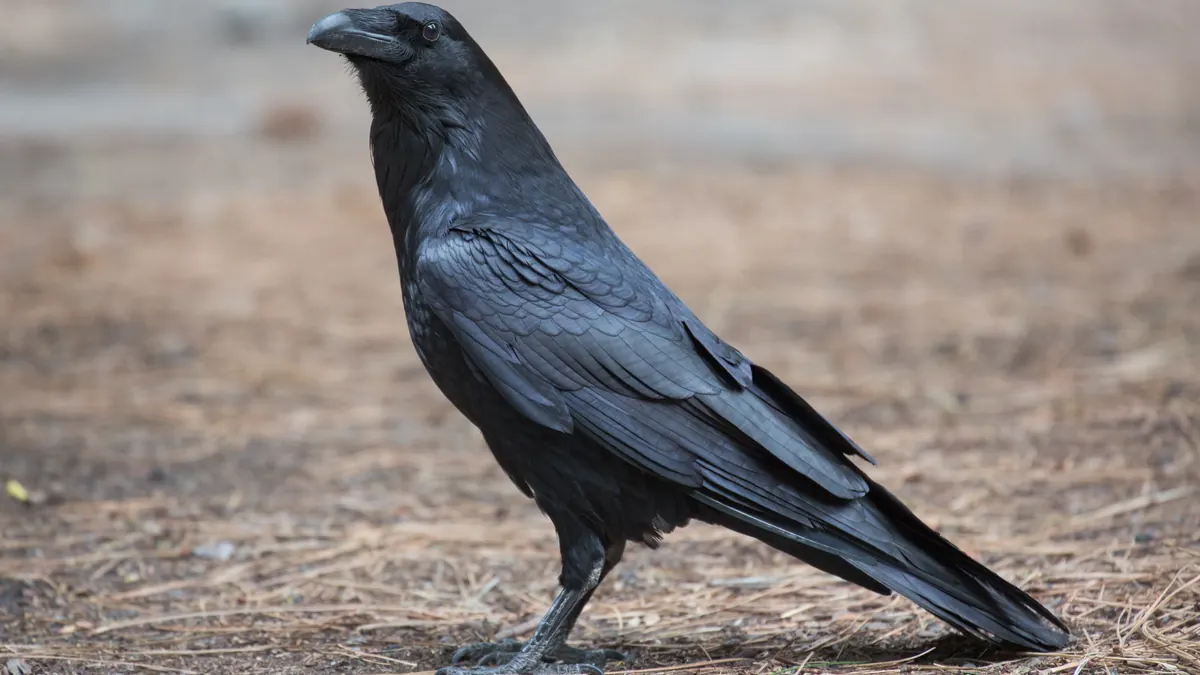
U.S. Fish and Wildlife Service Creates Statewide Permit Path for Common Raven Conflicts
Common ravens remain protected under the Migratory Bird Treaty Act, although the agency can authorize limited lethal take under permits. A new federal approach announced September 14, 2026 changes how state agencies can authorize lethal control when non-lethal methods fail — reducing the need for repetitive federal permit requests.
The U.S. Fish and Wildlife Service announced the streamlined statewide permitting approach on September 14. Under the new system, eligible state agencies can obtain a single statewide depredation permit and issue subpermits to qualified parties within their jurisdiction, rather than processing each conflict situation through a separate federal application. A FAQ document published by FWS on September 8, 2026 sets out the requirements and conditions. Lethal take under the framework remains conditional: non-lethal deterrents must be attempted first, and subpermits apply only in qualifying cases.
For ranchers and livestock operators in states where raven conflicts occur regularly — particularly where raven conflicts affect livestock or sensitive species such as greater sage-grouse — the previous system could require repeated federal permit requests for similar conflicts. The statewide pathway lets eligible state agencies respond faster to documented conflicts without that repeated administrative burden. Federal oversight stays in place throughout; the change streamlines access to existing depredation-permitting authority rather than creating unrestricted lethal take.
The new approach is especially relevant for sage-grouse and ground-nesting bird conservation in the western United States, where raven predation pressure on eggs and chicks has been documented as a factor in declining populations. The change could be particularly relevant to state agencies managing raven conflicts involving livestock and sensitive wildlife.
The September 14 announcement applies to any eligible state agency nationally, though the agency’s supporting materials focus on cases involving livestock and nesting ground-bird species.
The FWS FAQ published September 8 covers eligibility criteria and subpermit conditions. The statewide permitting system is active. Eligible state agencies can contact FWS for details on the application process.
———————————————————————————————–
———————————————————————————————–
## How to Log Into WordPress REST API — Step by Step
### What We Used: **Application Password Authentication**
—
### Step 1: Get the Credentials
From the Pipeline file (`Karmactive Pipeline.md`), the credentials are:
– **Username**: `Sunita Somvanshi`
– **Application Password**: `Tw8QKhc98KxU5L4O3Q0s0w6J` (remove spaces → `Tw8QKhc98KxU5L4O3Q0s0w6J`)
> Application Passwords are created in WordPress Admin → **Users → Profile → Application Passwords** section. They’re separate from the login password and designed for API access.
—
### Step 2: Test the Login (Verify It Works)
“`bash
curl -s -u “Sunita Somvanshi:Tw8QKhc98KxU5L4O3Q0s0w6J” \
“https://www.karmactive.com/wp-json/wp/v2/users/me?_fields=id,name”
“`
**Expected response**: `{“id”:57,”name”:”Sunita Somvanshi”}` ✅
—
### Step 3: Make Authenticated API Calls
**GET a post** (read):
“`bash
curl -s -u “Sunita Somvanshi:Tw8QKhc98KxU5L4O3Q0s0w6J” \
“https://www.karmactive.com/wp-json/wp/v2/posts/1779?_fields=id,title,author”
“`
**PATCH/UPDATE a post** (write):
“`bash
curl -s -X POST \
-u “Sunita Somvanshi:Tw8QKhc98KxU5L4O3Q0s0w6J” \
-H “Content-Type: application/json” \
-d ‘{“meta”:{“_yoast_wpseo_focuskw”:”your keyword here”}}’ \
“https://www.karmactive.com/wp-json/wp/v2/posts/1779”
“`
> Note: WordPress REST API uses `POST` for updates (not `PATCH`), even when editing existing posts.
—
### Step 4: Check the HTTP Response Code
– **200** = Success ✅
– **401** = Auth failed (wrong credentials)
– **403** = Forbidden (user doesn’t have permission)
– **404** = Post not found
—
### How It Works Under the Hood
“`
curl -u “username:app_password”
↓
WordPress sees Basic Auth header
↓
Checks Application Password table (not login password)
↓
Grants API access with that user’s role/capabilities
↓
Sunita = Editor role → can edit any post ✅
“`
—
### Why This Works Now (But Failed Before)
The previous sessions used:
– ❌ Regular WP login password → blocked by Cloudflare WAF
– ❌ Programmatic browser login → WAF blocks `POST /wp-login.php`
– ✅ **Application Password** → bypasses WAF, goes directly to REST API endpoint, which Cloudflare allows through
—