Karmactive Team
Connected but Not Charging: How Ring Solar Actually Works
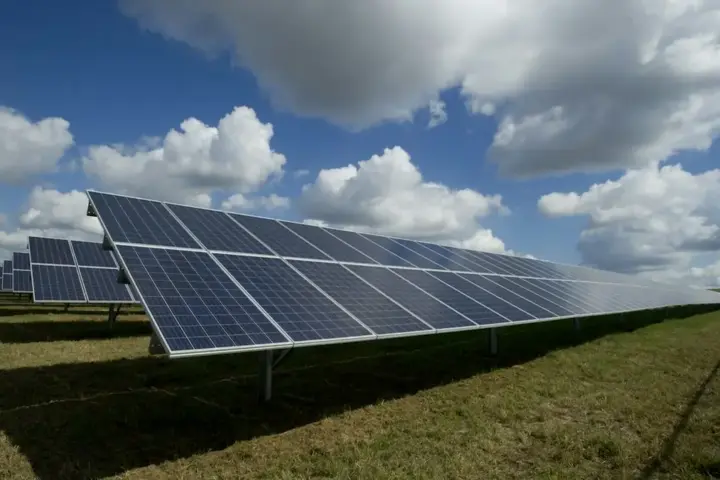
Ring’s solar charging accessories — the Ring Solar Panel and Ring Spotlight Cam Solar Panel — do not function like a traditional battery charger. They produce a trickle charge, not a fast charge. The solar panel generates roughly 0.9W to 1.9W of continuous power under full direct sunlight. That output trickles into the internal lithium battery over hours, not minutes.
Ring’s battery management system only accepts this charge when several conditions are simultaneously met. The battery must be below approximately 100% charge. The connection between panel and device must be clean and fully seated. And the ambient temperature must be above 0°C (32°F).
If any one of these conditions fails, the Ring app displays “Not Connected” or shows no charging activity — even when the solar panel is physically functional and generating power.
Understanding this architecture is what separates an accurate diagnosis from an expensive hardware return.
The Cold-Weather Battery Lock: The 0°C Threshold Explained
Homeowners who replace a “dead” Ring solar panel in January often find the second panel behaves identically. Neither panel was defective. The problem is in the battery firmware, not the hardware.
Ring’s firmware includes a thermal protection protocol. When ambient temperatures drop below 0°C (32°F), the battery management system completely rejects incoming charge current. The battery will not accept any charge — from the solar panel or from USB — until temperatures rise above freezing.
This is intentional. It is not a defect. Charging a lithium-ion cell below freezing causes lithium plating. Lithium plating is a condition where metallic lithium deposits form on the anode during charging. It permanently degrades battery capacity. Repeated occurrences create internal short circuit risks.
Ring’s firmware prevents this damage by locking the charge input circuit at the 0°C threshold. The solar panel may be fully connected, fully functional, and generating power. The battery refuses to accept it.
The result: homeowners in cold climates find their Ring devices completely dead in January after a week of freezing nights. They assume the solar panel has failed. They return it. The replacement panel also “fails.” The hardware was never at fault.
The only solutions during a freeze are to bring the device indoors and allow it to warm above freezing before USB charging, or to prevent the battery from fully depleting by reducing the device’s motion sensitivity and snapshot frequency before cold weather arrives.
**Why is my Ring solar panel not charging the battery?**
**Your Ring solar panel will not charge the battery if ambient temperatures drop below 32°F (0°C) due to built-in battery cell protection. It also will not charge if device power consumption exceeds the solar trickle input — caused by high motion alert frequency or Live View use — or if dirt, misaligned pins, or barrel-connector corrosion is disrupting the circuit.**
Reading the Ring App Accurately: Status Indicators and Firmware Glitches
The Ring app’s device health screen is the starting point for any solar charging diagnosis. Its displays are not always accurate, and misreading them leads to unnecessary hardware replacement.
The Solar Panel Status field shows “Connected” or “Not Connected.” This field reflects whether the device firmware detects the panel’s presence via the data pin in the connector. It does not confirm that the panel is actively generating or delivering power.
“Connected” with no charge increase over 24 hours of direct sunlight indicates the panel is detected but charge is not flowing. This points to thermal lockout, a full battery, or a failed panel.
“Not Connected” with the cable physically attached points to a dirty or corroded barrel connector, a bent or damaged pin, or a loose cable seat. It can also indicate a firmware glitch that cleared itself after a device reboot.
To reboot a Ring device, hold the orange reset button for 10 seconds. After restarting, check whether the solar panel status updates. Firmware bugs occasionally cause stale readings that persist across normal use cycles. A reboot forces a fresh sensor poll.
Also consider firmware updates. Ring pushes firmware wirelessly. Some updates temporarily reset device settings or cause short-term reporting anomalies in the device health screen. If the charging status changed after a recent update, allow 24–48 hours of monitoring before diagnosing a hardware failure.
Optimizing Ring’s Power Budget: Reducing Drain to Match Solar Input
A Ring solar panel produces enough trickle charge to maintain a battery. It is not designed to charge a depleted one quickly. If the device consumes power faster than the panel produces it, the battery drains even under full sun.
This situation is common in high-traffic locations. A doorbell camera near a busy sidewalk may trigger 80–100 motion events per day. Each event wakes the processor, records video, uploads it, and sends a notification. That power draw can exceed the 0.9–1.9W solar trickle output.
Three Ring app settings reduce power consumption significantly.
Motion Sensitivity: Lower this setting to reduce false alerts from passing cars, blowing leaves, and shadows. Lower sensitivity reduces wake events per day without reducing detection of people approaching the door.
Motion Zones: Use the zones tool to exclude the sidewalk, street, or neighboring property from the detection area. This eliminates the majority of environmental false triggers and is the single highest-impact change available.
Snapshot Capture: Ring’s snapshot feature captures still images every 1–60 minutes even when no motion is detected. Disable this feature or set it to the minimum frequency. Each snapshot costs power.
Color Night Vision: This feature uses an IR floodlight to illuminate the scene at night. It draws significantly more power than black-and-white night vision. Disable it if the camera location has adequate ambient light from street lamps or porch lighting.
After reducing these settings, monitor battery percentage over 48 hours of clear weather. If the battery holds steady or slowly increases, the solar panel is now adequate for the adjusted power budget.
Physical Hardware Diagnostics: Pins, Connectors, and Panel Output
When the app shows no charging and cold weather is not the cause, test the hardware directly.
Incorrect hardware replacement is the most common and avoidable outcome in Ring solar troubleshooting. A functional panel gets discarded. E-waste is generated. A new panel arrives and behaves identically because the actual fault was a dirty pin or a kinked cable.
Step one: Examine the barrel connector. Unplug the cable from the Ring device. Inspect the small pin inside the barrel connector with a flashlight. The pin must be centered, straight, and free of debris. A single bent pin prevents electrical contact. Straighten it carefully with a toothpick or fine probe. Do not use metal tools.
Step two: Clean the connector port on the Ring device. Use a dry toothpick or compressed air to clear any dust, debris, or oxidation from the charging port. Even a small particle can break contact with the data pin.
Step three: Test the solar panel output with a multimeter. Set the multimeter to DC voltage. Place the probe tips into the barrel connector — positive to the center pin, negative to the outer sleeve. Under direct sunlight, a functional Ring Solar Panel produces approximately 5.2V to 5.4V DC. Zero volts indicates a panel failure. Below 4.5V suggests shading, soiling, or panel degradation.
Soiling deserves emphasis. A thin film of dust, bird droppings, or pollen reduces panel output by 15–30% in dry climates. Clean the panel face with a damp microfiber cloth. Do not use abrasive materials.
Step four: Inspect the cable for damage. The Ring solar panel cable is permanently attached. Any crack, kink, or pinch point breaks the internal conductors. Run your fingers along the entire cable length. Any stiff, damaged, or crushed section warrants cable-and-panel replacement as a single assembly.
Battery safety is a broader concern for lithium-based portable devices. The recalls and fire hazard reports documented in Karmactive’s coverage of the Anker power bank fire hazard recall and the 1.1 million Anker PowerCore 10000 unit recall illustrate why lithium battery thermal management protocols — including Ring’s cold-weather charge lockout — exist as protective mechanisms, not inconveniences.
Cable Routing, Voltage Drop, and Third-Party Panels
Ring solar panel cables typically extend 13 feet. Some installations require longer runs — a solar panel mounted on a fence post serving a doorbell camera near the front door, for example. Third-party extension cables are available but introduce voltage drop risk.
Voltage drop occurs when resistance in a long cable reduces the voltage arriving at the device below the minimum charge threshold. For a 5V system, a drop below 4.5V prevents charging. Longer cables and thinner gauge wire increase resistance.
If you use an extension cable, verify that it is a minimum of 24AWG for runs under 10 feet. Use 22AWG for longer runs. Any extension with a cheap or thin connector is a liability.
Third-party solar panels are not officially supported by Ring. Some work. Many do not. Ring’s charging protocol requires both the correct voltage and correct signaling via the data pin in the proprietary connector. A panel producing the right voltage but lacking data pin connectivity will appear as “Not Connected” in the Ring app — regardless of its output quality.
If you choose a third-party panel, confirm it uses a Ring-compatible connector and that the product listing specifically states compatibility with your Ring device model number.
Diagnostic Flowchart: Solving Ring Solar Charging Problems Step by Step
Work through this sequence before replacing any hardware.
Is the ambient temperature below 32°F (0°C)? If yes: bring the device indoors. Allow it to warm for two hours. Charge via USB until above 50%. Reinstall when temperatures rise above freezing. Cold-weather lockout is the cause.
Is the battery above 95%? If yes: the solar panel may be working correctly. Ring batteries at or near full charge do not accept trickle input. Monitor percentage over 48 hours of reduced device use.
Does the Ring app show “Not Connected” for the solar panel? If yes: unplug and firmly re-seat the cable. Inspect and clean the barrel connector pin. Reboot the device. Re-check the status after two hours in direct sunlight.
Is the cable damaged, kinked, or crushed anywhere along its length? If yes: the panel and cable assembly must be replaced together. Ring solar cables are non-detachable.
Does a multimeter read below 4.5V on the panel output in direct sunlight? If yes: the panel is degraded or failed. If the panel is under two years old, contact Ring support for a warranty replacement.
Has none of the above resolved the issue? If yes: the Ring device’s internal charge management circuitry may have failed. This is uncommon but documented. Contact Ring support with your diagnostic results. If the device is out of warranty, a replacement battery from Ring is worth trying before replacing the full unit.
Ring solar panels extend battery life. They do not eliminate the need for periodic manual charging in cold climates or high-traffic installations. Setting expectations correctly prevents frustration. The panel that appears dead in January very often returns to normal function in March — and costs nothing to fix.